GPS telemetry overlays for your videos
Visual editor for creating speed, altitude, map, and GPS overlays on GoPro, DJI, and any video. No complex configuration needed.


Everything you need for telemetry overlays
From quick presets to pixel-perfect customization.
Quick Mode
Select a predefined layout, customize units and map style. One click to render — no configuration needed.
Visual Editor
Drag-and-drop canvas for building custom overlay layouts. Move, resize, and configure every widget.
DJI Drone & Action Cam Support
Native SRT telemetry parsing for DJI drones. DJI Osmo Action 4/5/6 with GPS Bluetooth Remote and embedded GPS. Camera metrics: ISO, shutter, f-number, EV, color temperature, focal length.
GPS Quality Analysis
Automatic signal quality check with DOP analysis and warnings before rendering. Filter bad GPS data.
Batch Rendering
Process multiple video files with the same overlay settings. Shared GPX batch render with automatic odometer offset by creation time. Background jobs with progress tracking.
Live Preview
See your overlay in real-time as you configure it. Scrub through the timeline to check any frame.
Overlay-Only Render
Export transparent overlays (MOV with PNG/VP9/VP8 alpha) for compositing in Final Cut Pro, DaVinci Resolve, or Premiere Pro.
CLI Dashboard
Use gpstitch-dashboard CLI for scripting and batch processing. Get the exact command from the UI with the "Get Command" button.
Vertical Video
Automatic orientation detection with correct rendering for vertical video. Perfect for phone footage and social media.
See it in action
From quick setup to polished video output.
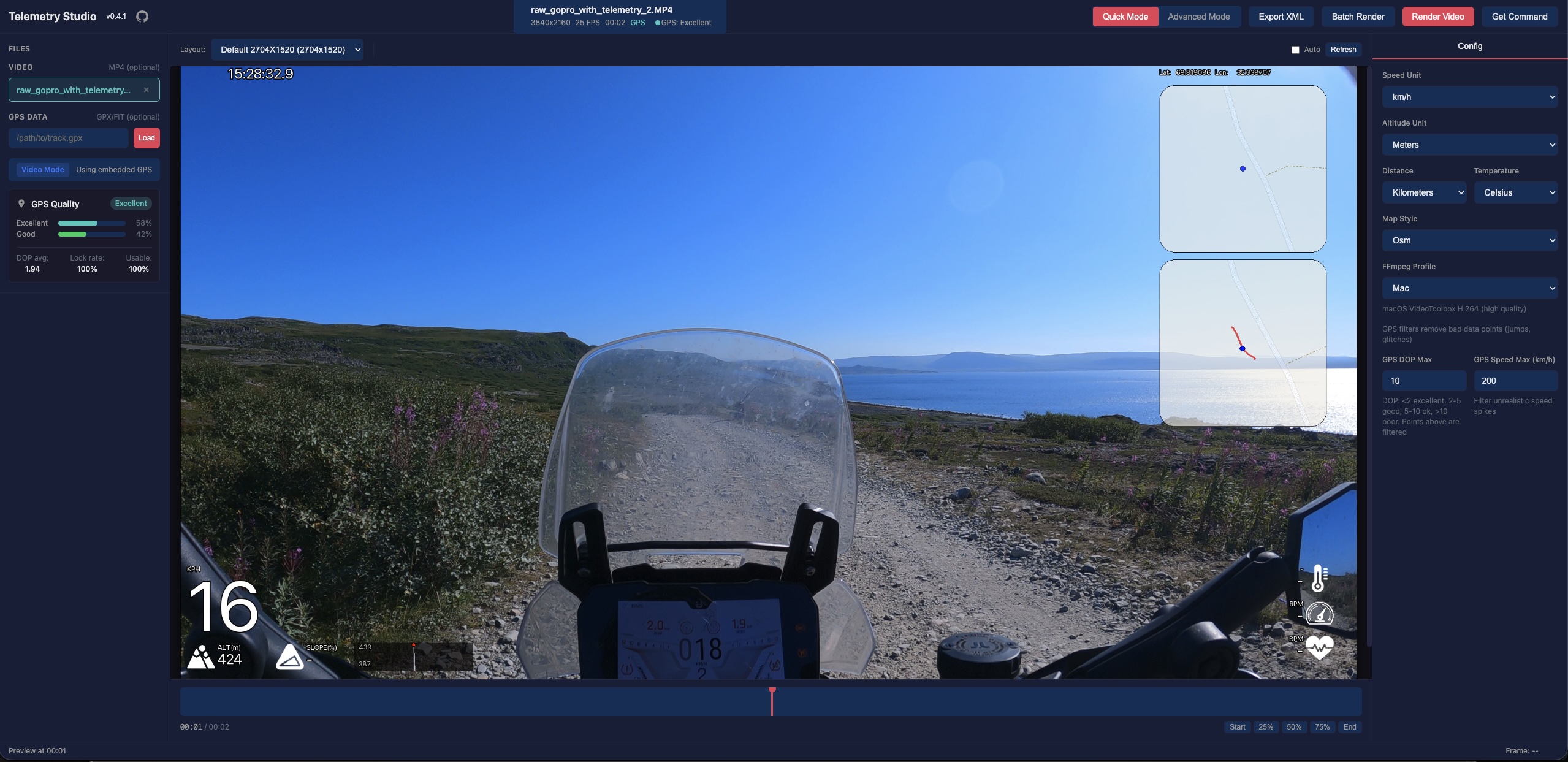
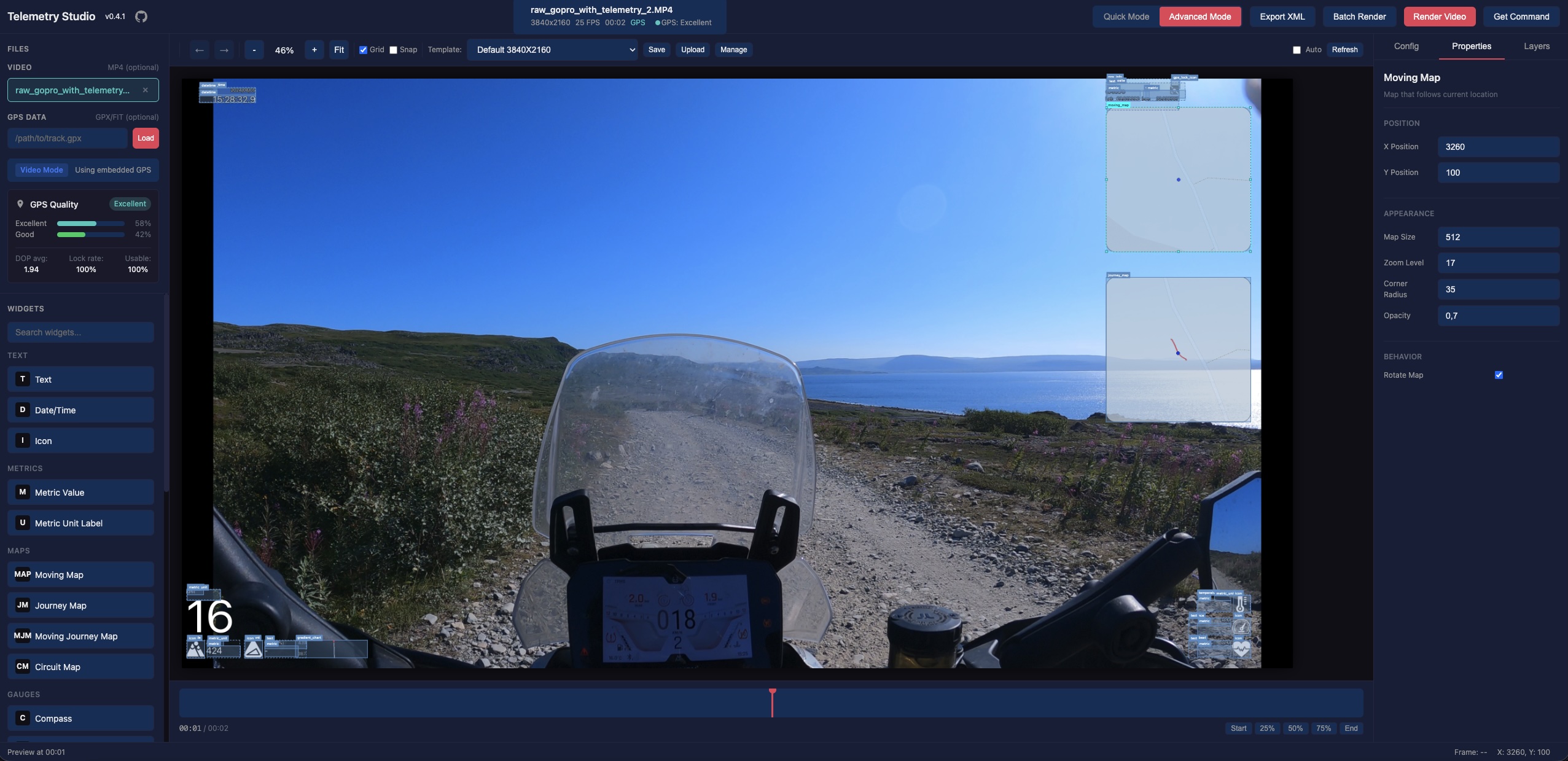
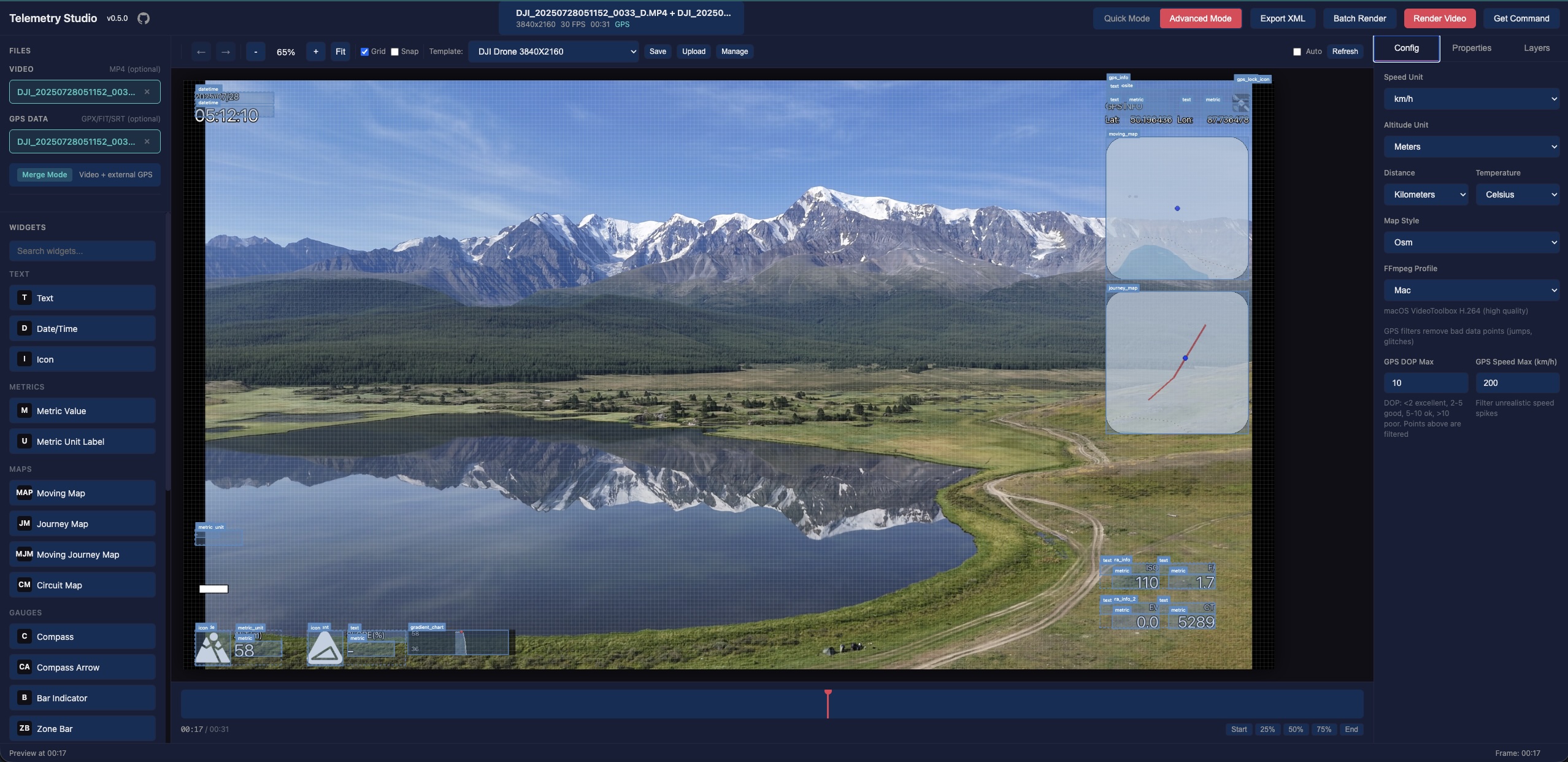
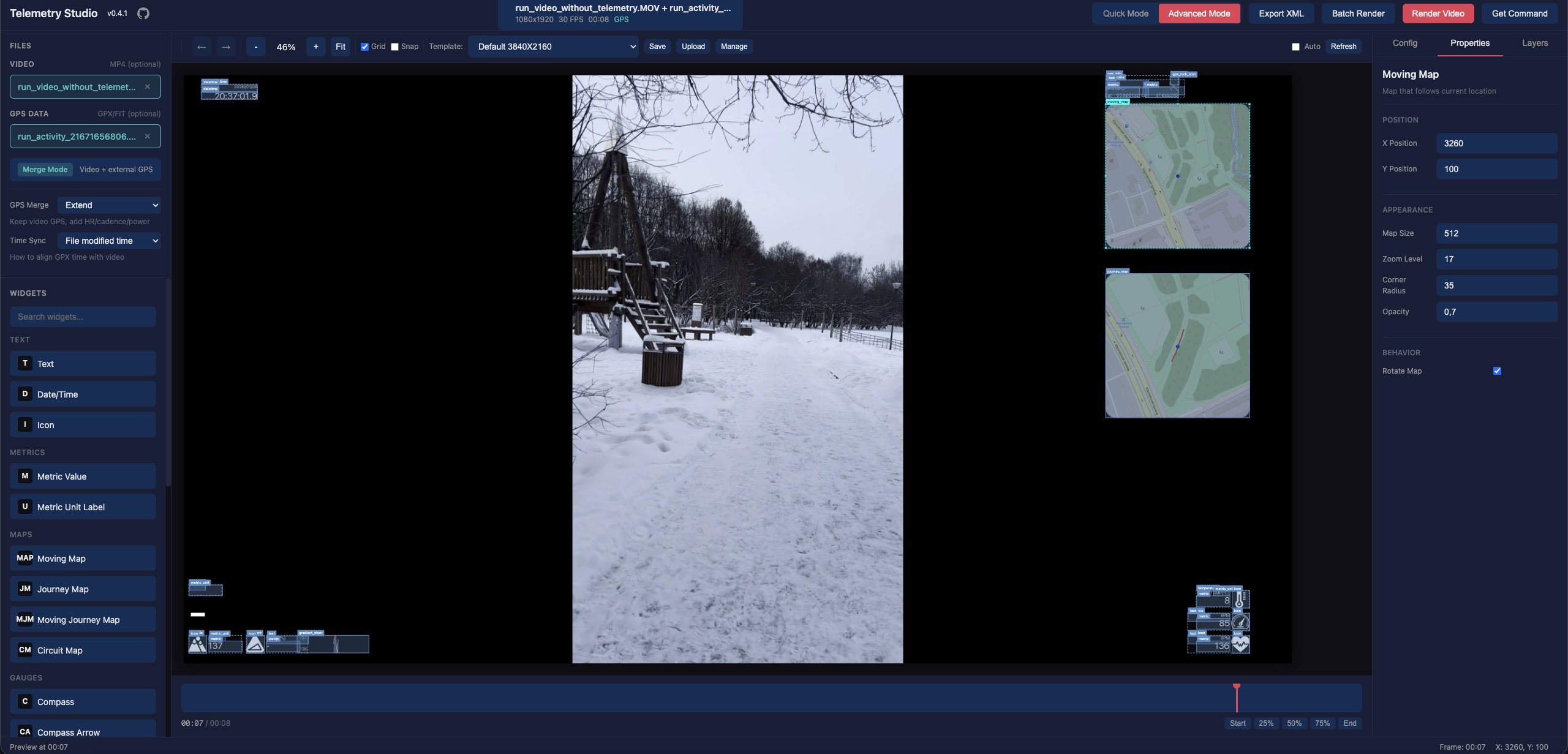
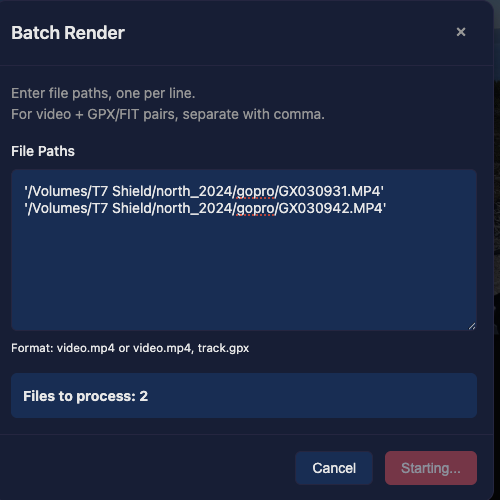
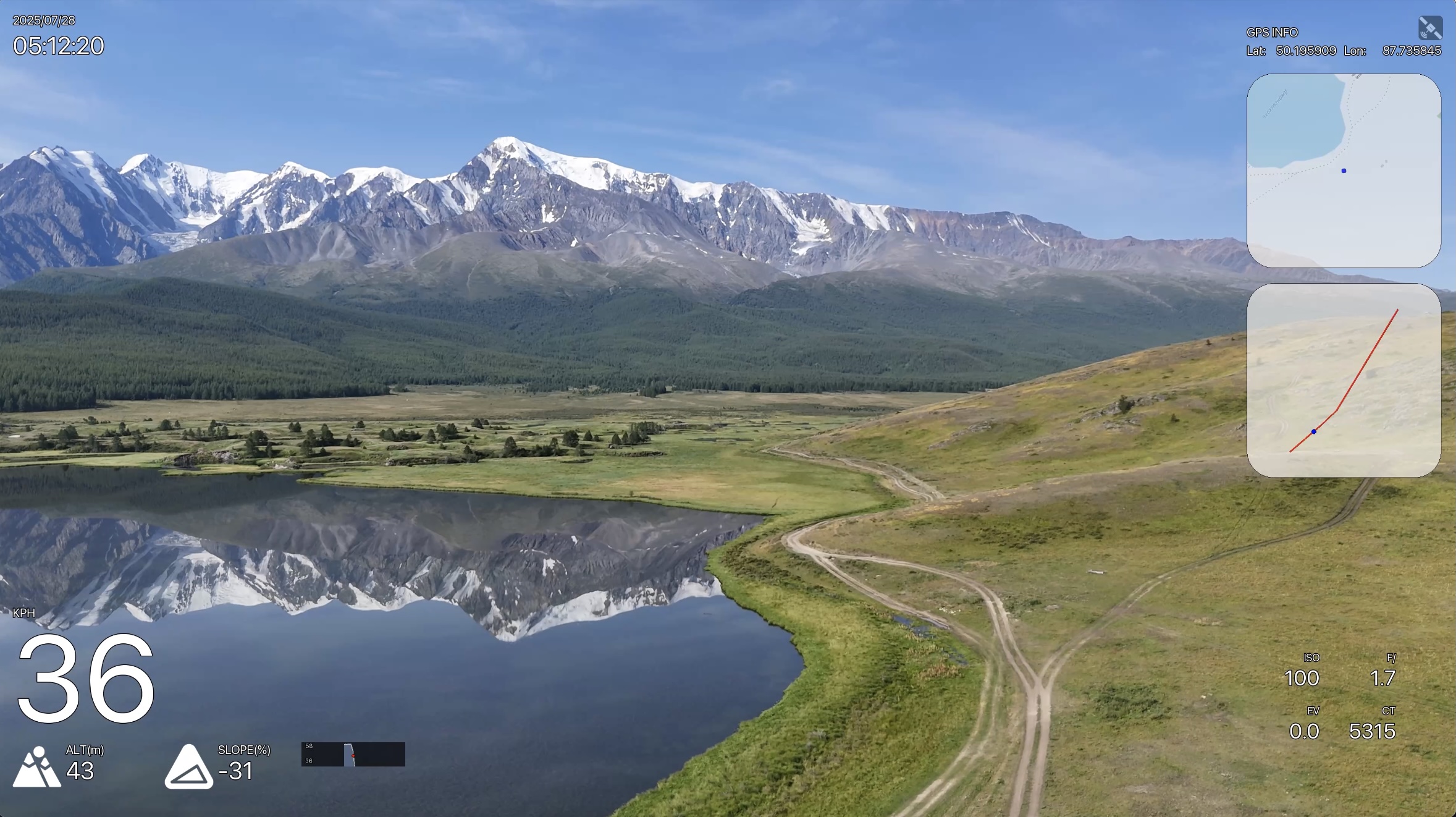
Three steps to telemetry overlays
Load video
Open your GoPro, DJI, or any video file. Attach external GPX/FIT/SRT data if needed. Or load GPX/FIT/SRT for overlay-only rendering.
Design overlay
Choose a quick preset or build a custom layout with the drag-and-drop editor.
Render
Hit render and get your video with professional telemetry overlays baked in.
Works with GoPro, DJI & any camera
Native support for popular cameras and data formats.
GoPro
.mp4 Built-in GPS telemetry from GoPro cameras. All HERO models supported.
DJI Drones
.srt SRT telemetry files with full camera metrics. Mavic, Mini, Air, and more.
DJI Osmo Action
.mp4 DJI Osmo Action 4/5/6 with GPS Bluetooth Remote Controller. Embedded GPS data support.
Any Video + GPS
.gpx .fit Combine any MP4/MOV/AVI video with external GPX, FIT, or SRT files.
Get started in seconds
Install via pipx and launch from terminal.
Enables additional rendering features via Cairo graphics library
Questions & Answers
What video formats are supported?
MP4, MOV, and AVI video files. GPS data from GPX, FIT, and SRT (DJI) formats. DJI Osmo Action cameras with embedded GPS are also supported.
Does it work without a GoPro?
Yes. You can use any video combined with external GPS data files (GPX/FIT/SRT). Record GPS on your phone and merge it with any camera footage.
Is it free?
Completely free and open source under GPL-3.0 license.
What telemetry data can I display?
Speed, altitude, maps, GPS info, temperature, acceleration, heart rate, cadence, power, and DJI camera metrics (ISO, shutter, f-number, EV).
Can I create custom overlay layouts?
Yes. The Advanced mode provides a full drag-and-drop editor. Save your layouts as templates and reuse them.
What is overlay-only mode?
Overlay-only mode exports transparent overlays (MOV with alpha channel) that you can composite over your video in Final Cut Pro, DaVinci Resolve, Premiere Pro, or any video editor.
Can I use GPStitch from the command line?
Yes. The gpstitch-dashboard CLI lets you render overlays from the terminal. Use the "Get Command" button in the UI to generate the exact CLI command for your current settings.
Does it support vertical video?
Yes. GPStitch automatically detects video orientation and correctly renders overlays for vertical video, perfect for phone footage and social media content.
Support GPStitch
GPStitch is free and open source. If it saves you time, a one-time or recurring donation helps keep it maintained.
Boosty
Recurring or one-time support with card payment.
Support on BoostyBitcoin
On-chain — scan the QR with your wallet or copy the address below.

bc1qenxrgj6x9un0dpuy5245pgjculj6jqgzht8ned Thank you for keeping open source alive.